Transpose
Transposes a data table.
Inputs
- Data: input dataset
Outputs
- Data: transposed dataset
Transpose widget transposes data table. This means the columns become rows and vice versa.
 {width=50%}
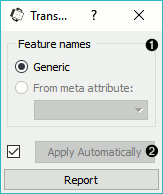
- Generic transpose assigns generic features names. The old feature names become a column in a data table. From variable enables setting an existing column as new feature names. Remove redundant instance remove the instance that was used for new feature names. Works for features, not metas or classes.
Note that column names will be automatically assigned unique names when selected feature contains duplicates.
Example
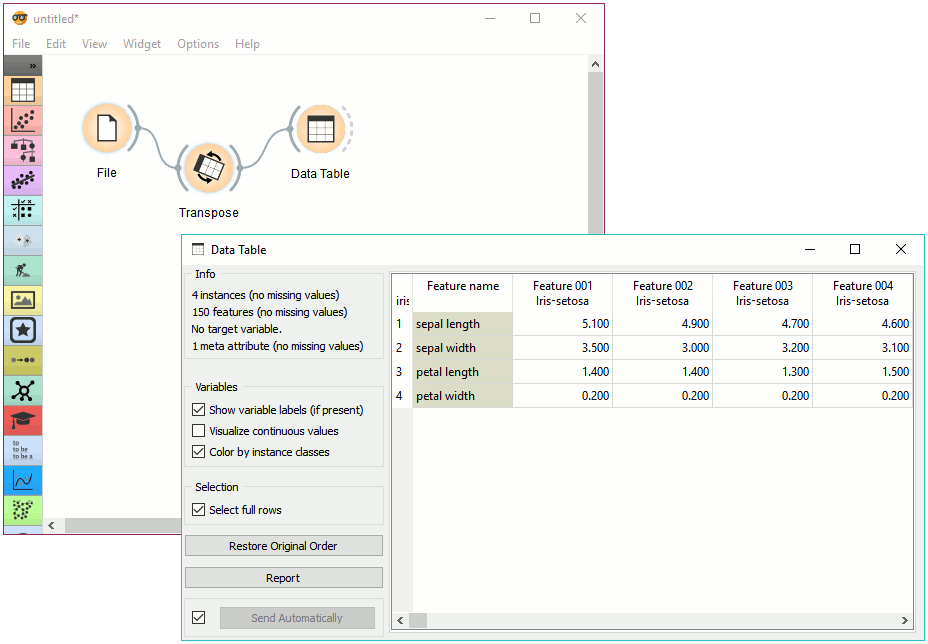
This is a simple workflow showing how to use Transpose. Connect the widget to File widget. The output of Transpose is a transposed data table with rows as columns and columns as rows. You can observe the result in a Data Table.