Randomize
Shuffles classes, attributes and/or metas of an input dataset.
Inputs
- Data: input dataset
Outputs
- Data: randomized dataset
The Randomize widget receives a dataset in the input and outputs the same dataset in which the classes, attributes or/and metas are shuffled.
 {width=50%}
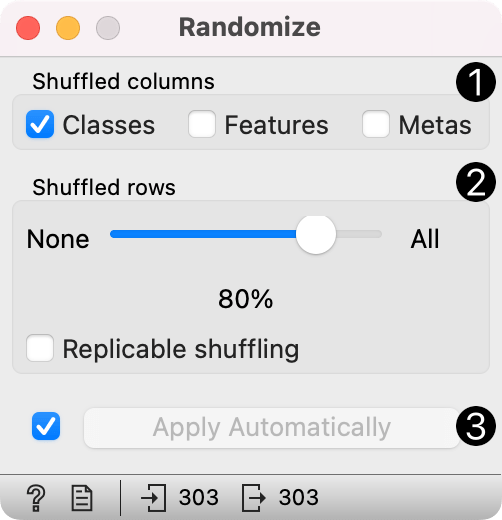
- Select group of columns of the dataset you want to shuffle.
- Select proportion of the dataset you want to shuffle. Replicable shuffling produces replicable output.
- If Apply automatically is ticked, changes are committed automatically. Otherwise, press Apply after each change.
Examples
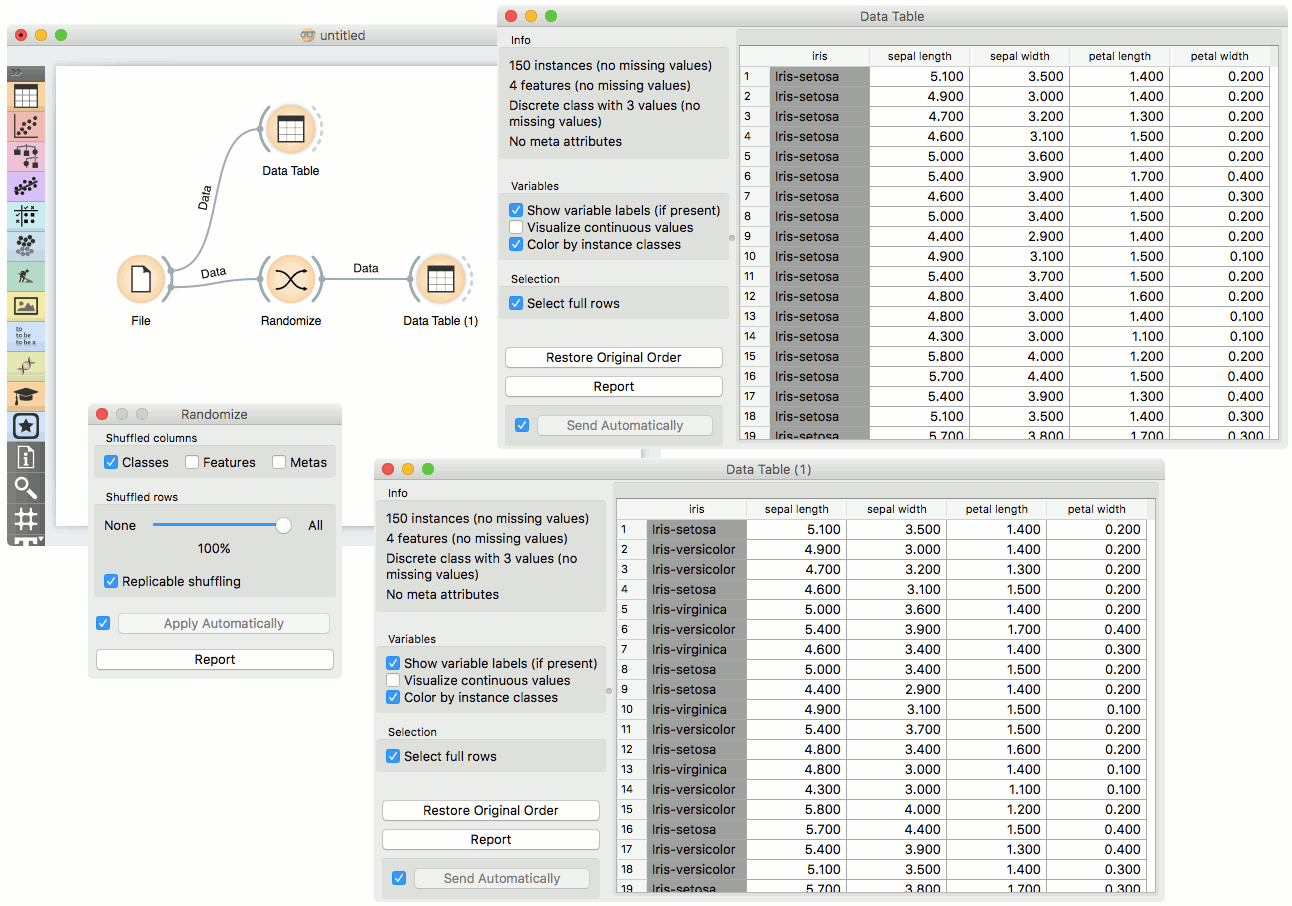
The Randomize widget is usually placed right after the File widget. The basic usage is shown in the following workflow, where values of class variable of the iris dataset are randomly shuffled.
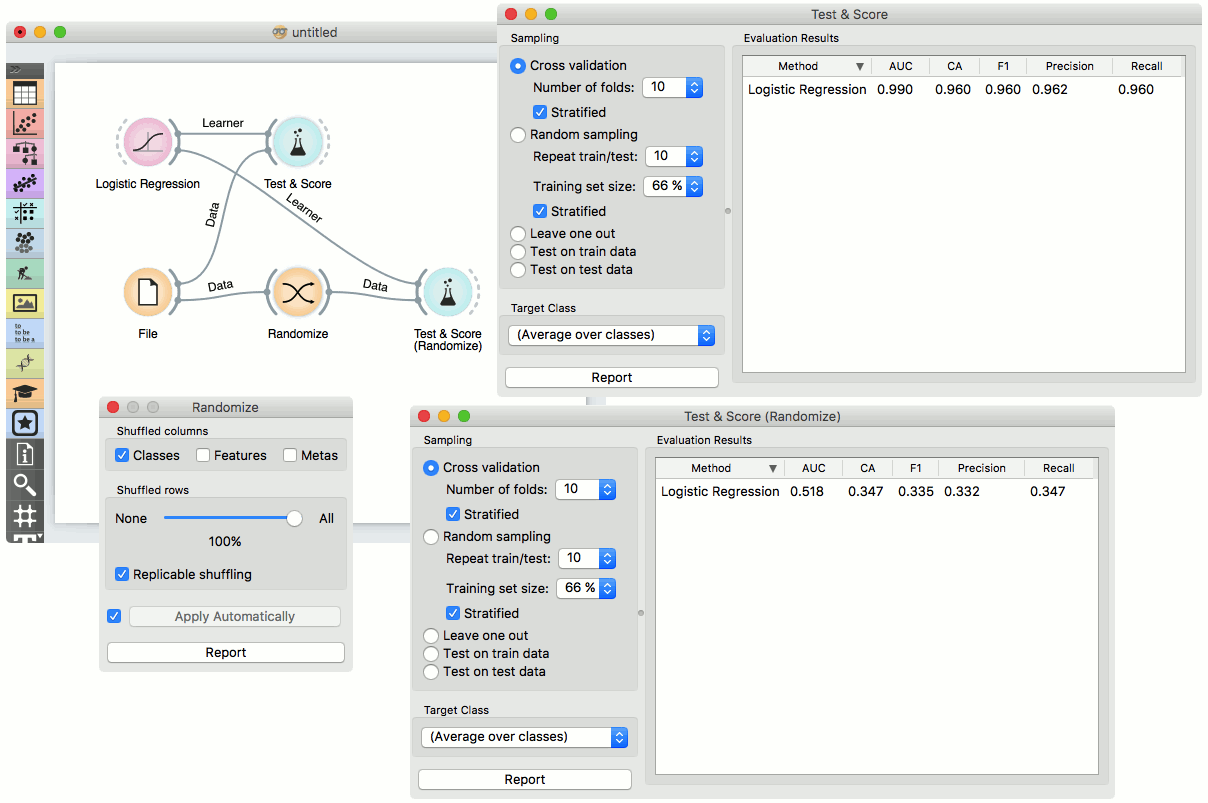
In the next example, we show how shuffling class values influences Logistic Regression performance in the Test and Score widget on the same dataset as above.