Create Class
Create class attribute from a string or categorical attribute.
Inputs
- Data: input dataset
Outputs
- Data: dataset with a new class variable
Create Class creates a new class attribute from an existing categorical or text attribute. The widget matches the string value of the selected attribute and constructs a new user-defined value for matching instances.
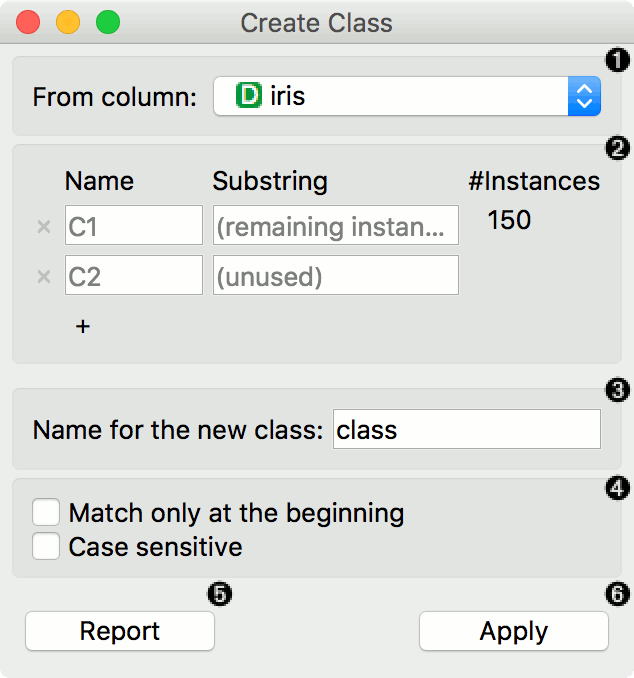 {width=50%}
- Name of the new class column.
- Match by Substring: From column: The attribute the new class is constructed from. Name: the name of the new class value Substring: substring that will match the values from the above-defined attribute Count: the number of instances matching the substring Press '+' to add a new class value
- Options:
- Use regular expressions to match by regular expressions.
- Match only at the beginning will begin matching from the beginning of the string.
- Case sensitive will match by case, too.
- Press Apply to commit the results.
Example
Here is a simple example with the auto-mpg dataset. Pass the data to Create Class. Select car name as a column to create the new class from. Here, we wish to create new values that match the car brand.
First, we type ford as the new value for the matching strings. Then we define the substring that will match the data instances. This means that all instances containing ford in their car name, will now have a value ford in the new class column. We define the same for honda and fiat. The widget will tell us how many instance are yet unmatched (remaining instances). It says 326, plus the already defined 72. We will name the remaining instances other, but you can continue creating new values by adding a condition with '+'.
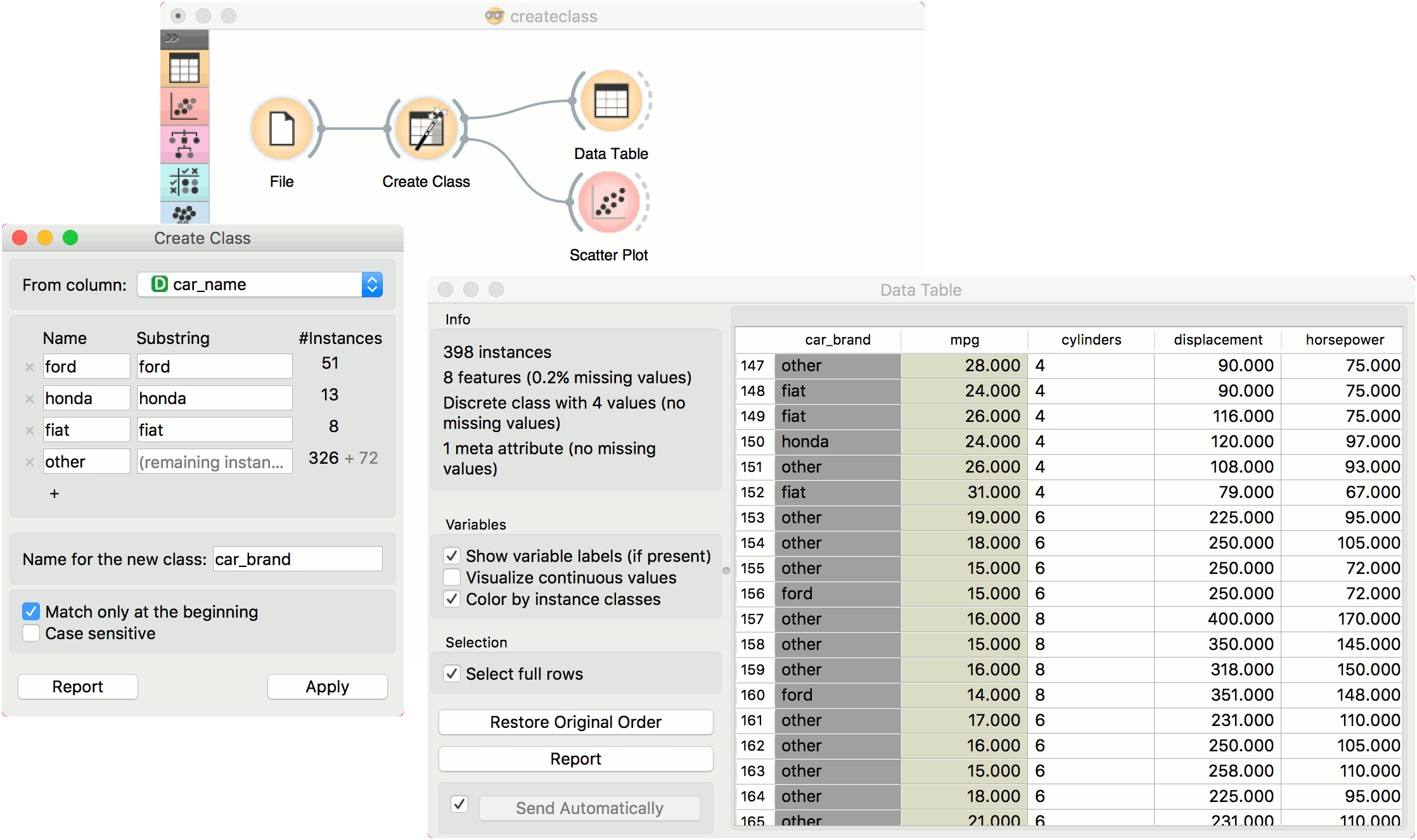
Finally, we can observe the new column in a Data Table.