Parameter Fitter
Find the best hyper-parameters for a model.
Inputs
- Data: input data
- Learner: learning algorithm
Parameter fitter shows performance of a learning algorithms with different settings of a hyper-parameter. The widget is currently limited to a single integer parameter. Not all learning algorithms support hyper-parameter tuning (currently, only Random Forest and PLS). The widget shows a plot of the model's performance at different values of the parameter. The graph shows AUC for classification problems and R2 for regression.
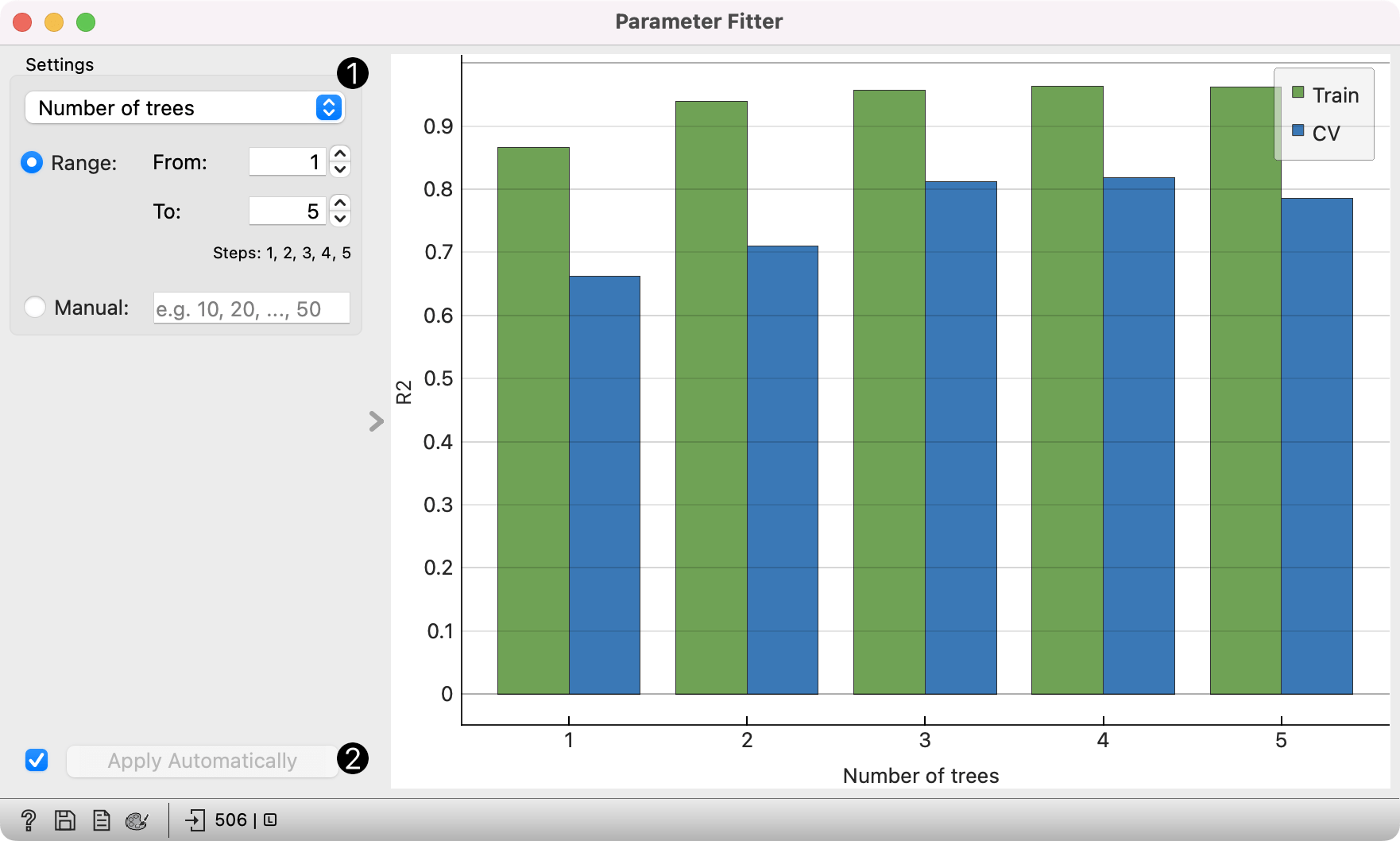
- Choose the parameter to fit.
Range: Define the lower and the upper limit; step size is determined automatically.
Manual: Alternatively, specify the values for the parameter. The widget also accepts
..., e.g.1, 2, 3, ..., 10or40, 60, ..., 100. When the parameter has a minimal value (e.g. the number of components cannot be negative), one can also omit the lower bound, e.g...., 80, 100; and if the parameter has a maximal value, one can omit the upper bound, e.g.2, 4, 6, ...,. - If Apply Automatically is ticked, changes are communicated automatically. Alternatively, click Apply.
Example
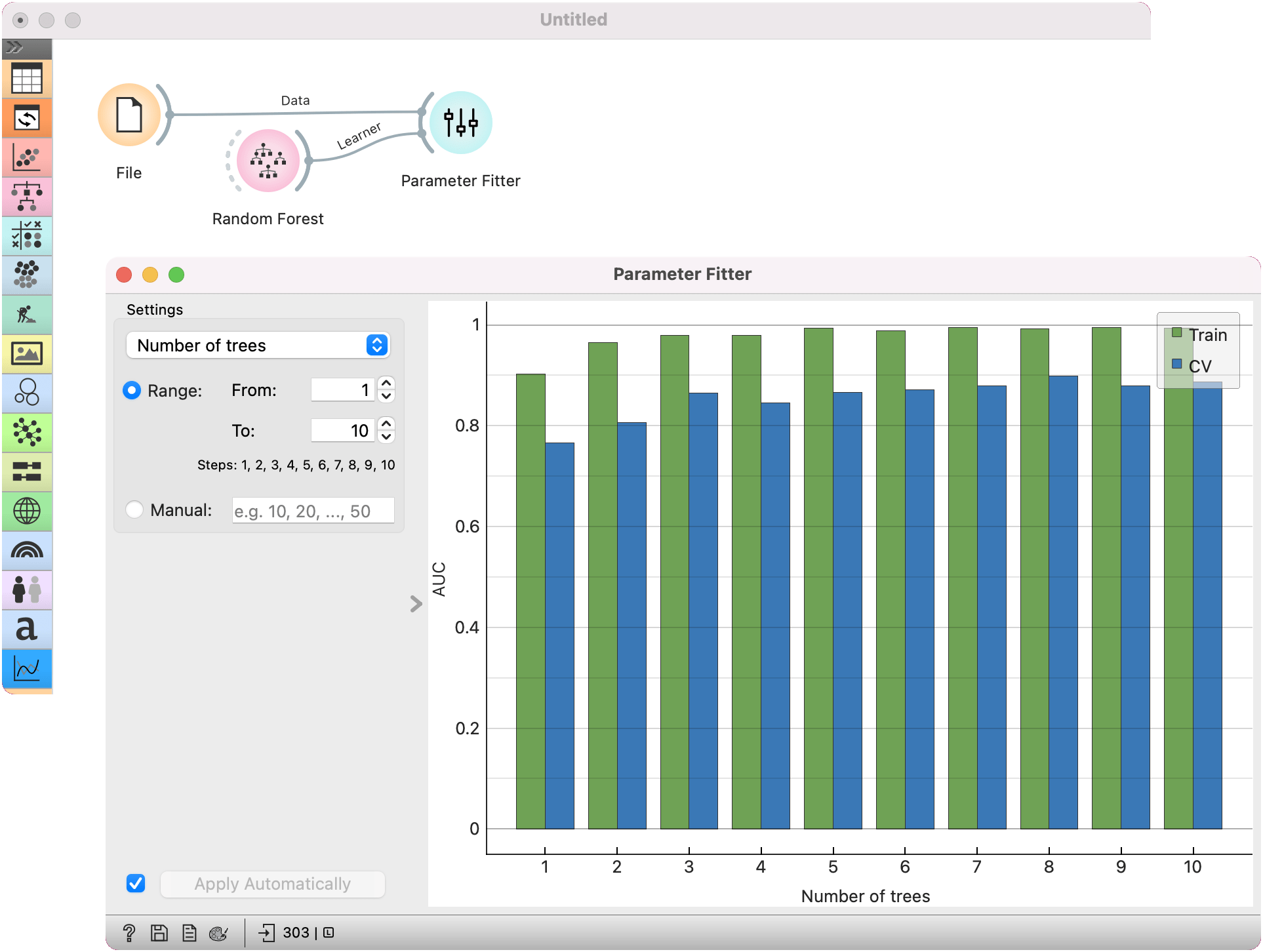
Here is a simple example on how to fit parameters using the Parameter Fitter widget. We are using the heart-disease data for this example and loading it with the File widget. We pass the data to Parameter Fitter. The widget also needs a learner to fit, the Random Forest in this case.
Parameter Fitter enables observing performance for a varying number of trees. We set the range from 1 to 10, namely we will observe performance for every number of trees up to 10.
We see there's a slight peak in AUC value for cross-validation at 3 trees, while 8 trees seem to be optimal overall. (Note that this is just a toy example!)