video, tutorial, annotation, workflows
Orange Essentials: Annotating Workflows
Ajda Pretnar Žagar
Dec 24, 2025
We've launched a new video series on YouTube! It is called Orange Essentials, and it covers the technical basics of working with Orange, from installation and setting up a workflow to sharing the results and interactive data exploration. It features seven short videos, which are launched weekly.
The sixth video shows how to annotate Orange workflows. In the bottom left corner of Orange Canvas, there is a grey area with several icons. These enable adding a title, description, text, and arrows to the workflow. One can also align widgets to the grid or pause propagation through the workflow. Pausing propagation is especially useful when working with large datasets, where one wants first to set the parameters and then run the computation.
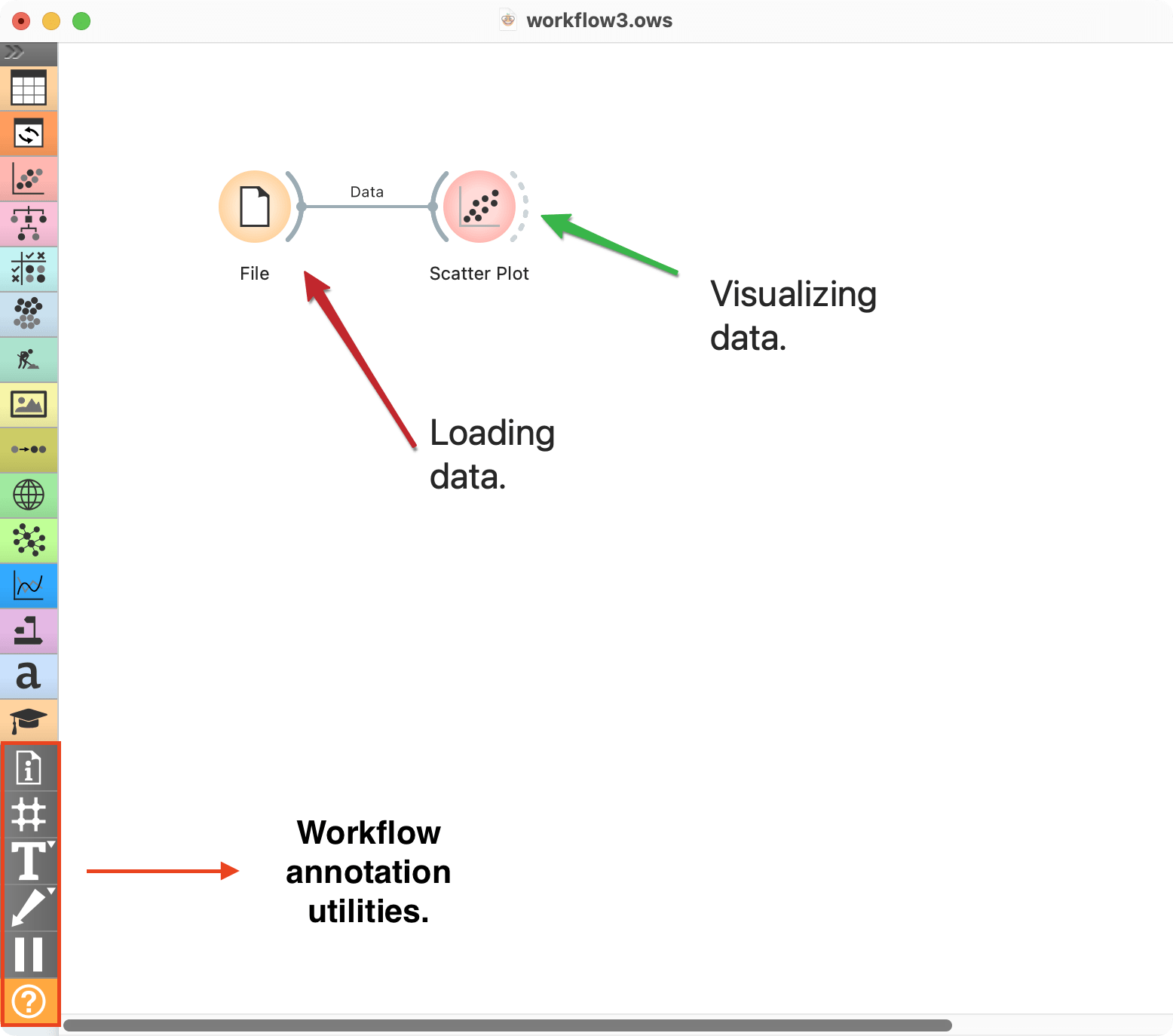
Annotating workflows is especially useful for ensuring scientific reproducibility, as it allows authors to explain the purpose of each step in the workflow.
The development of the Orange Essentials video series was possible thanks to the NumFocus Small Development Grant.